Introduction
Artificial intelligence is transforming education by helping students learn faster, organize their studies, conduct research, improve writing, and prepare for examinations. From understanding complicated subjects to creating presentations and summarizing lengthy documents, AI tools offer practical solutions for everyday academic challenges. Students can use these technologies to save time, improve their understanding, and develop valuable skills for academic and professional success.
The best AI tools for students in 2026 are not limited to answering questions. Many can explain difficult concepts, generate practice questions, check grammar, assist with mathematics, organize notes, create flashcards, and support language learning. Some tools specialize in particular subjects, while others provide general-purpose assistance for different educational activities.
However, AI should be treated as a learning assistant rather than a replacement for independent thinking. Students still need to verify information, understand the concepts they study, and complete assignments according to their institutions’ academic integrity policies.
This article explores some of the best AI tools for students, their features, benefits, limitations, and practical applications. Whether you are in school, pursuing an undergraduate degree, or completing postgraduate studies, these tools can help you build a more effective learning routine.
1. ChatGPT: Best AI Tool for General Learning
ChatGPT is one of the most versatile AI tools available to students. It can explain complicated topics, answer questions, summarize information, generate practice exercises, and help students organize their study schedules.
Students can use ChatGPT as a virtual tutor for subjects such as mathematics, science, history, economics, computer science, and languages. Instead of simply requesting an answer, learners can ask the tool to explain a concept step by step or provide examples suitable for their educational level.
For example, a student struggling with algebra can request a simple explanation of equations, followed by worked examples and practice problems. Someone studying history can ask for a chronological summary of important events or a comparison of historical developments.
ChatGPT can also assist with brainstorming essay topics, outlining assignments, improving grammar, and preparing for interviews or examinations.
Key features:
- Explanations of difficult academic concepts.
- Assistance with writing and brainstorming.
- Practice questions and revision exercises.
- Study planning and organization.
- Support for programming and mathematics.
- Summaries of supplied information.
Best for: Students who need an all-purpose learning assistant.
Important consideration: AI-generated information can contain mistakes. Students should verify factual claims and use reliable educational resources when accuracy is essential.
Students can explore the available features through the official ChatGPT website.
2. Google Gemini: Best for Research and Study Assistance
Google Gemini is an AI assistant that can help students understand academic subjects, brainstorm ideas, summarize information, and work through different learning tasks.
Its usefulness extends across science, mathematics, literature, technology, and general knowledge. Students can ask follow-up questions to explore a topic more deeply rather than relying on a single response.
Gemini can help explain scientific principles, suggest project ideas, prepare revision notes, and develop outlines for presentations. Depending on the available features and account, it can also assist with content from supported Google services.
Students who already use Google’s productivity tools may find Gemini convenient for integrating AI assistance into their study routines.
For example, a student preparing a presentation on renewable energy could request an outline covering solar power, wind energy, environmental benefits, and implementation challenges. The student could then research each section and develop the final presentation independently.
Key features:
- Explanations of academic topics.
- Brainstorming and idea development.
- Assistance with summaries and outlines.
- Support for writing and problem-solving.
- Integration with selected Google services, where available.
Best for: Students who want an AI assistant for general learning and research preparation.
Important consideration: Always verify important facts, particularly statistics, quotations, and references.
Visit the official Google Gemini website to explore its available features.
3. Grammarly: Best AI Tool for Writing Improvement
Grammarly helps students improve grammar, spelling, punctuation, clarity, and writing style. Strong writing skills are essential for essays, reports, applications, research papers, and professional communication.
Grammarly can identify grammatical mistakes and suggest improvements that make sentences easier to understand. It can also help users adjust their writing tone and reduce unnecessary wording.
For students who understand a subject but struggle to communicate their ideas clearly, a writing assistant can make the editing process more manageable.
For example, a student writing an environmental science report can use Grammarly to identify punctuation errors, improve sentence structure, and make the language more consistent.
The tool is also useful for checking emails to professors, preparing scholarship applications, and editing personal statements.
Key features:
- Grammar and spelling suggestions.
- Punctuation correction.
- Sentence clarity improvements.
- Writing tone assistance.
- Suggestions for more concise writing.
Best for: Students writing essays, reports, assignments, and professional documents.
Important consideration: Automated suggestions are not always appropriate. Review each recommendation to ensure that it preserves your intended meaning and writing style.
Explore the official Grammarly website for current plans and features.
4. Notion AI: Best for Organizing Notes and Study Plans
Notion combines note-taking, task management, document creation, and project organization. Its AI features can help students manage academic information more efficiently.
Students often struggle to organize lecture notes, assignment deadlines, reading materials, and examination schedules. Notion provides a flexible workspace where these resources can be arranged in one place.
With available AI features, students can summarize notes, rewrite confusing passages, brainstorm ideas, and extract important points from documents.
For instance, a university student managing five subjects could create separate pages for each course, maintain assignment lists, record examination dates, and prepare weekly revision plans.
Notion can also support group projects by helping team members organize responsibilities, meeting notes, and research materials.
Key features:
- Digital note organization.
- Task and deadline management.
- AI-assisted summaries and writing.
- Project planning.
- Collaborative workspaces.
Best for: Students who want to organize their academic responsibilities in one workspace.
Important consideration: Some AI features may require a paid plan or have usage restrictions. Check the current subscription details before choosing it.
Learn more through the official Notion website.
5. Perplexity: Best AI Tool for Research Discovery
Perplexity helps students explore topics through conversational searches and responses that can include links to supporting sources.
Traditional search engines usually provide lists of webpages, requiring users to open multiple results and compare information. Perplexity aims to make the initial research process more direct by presenting synthesized answers alongside sources.
Students can use it to explore research questions, identify relevant publications, understand unfamiliar terminology, and discover sources for further investigation.
For example, someone researching climate change could ask about its major causes, environmental effects, and possible solutions. The student can then examine the cited sources, compare the evidence, and develop an independent understanding.
This approach can be especially useful when beginning a research assignment or investigating an unfamiliar subject.
Key features:
- Conversational research.
- Source-linked answers.
- Follow-up questions.
- Topic exploration.
- Assistance with preliminary research.
Best for: Students who need a starting point for research and want to investigate supporting sources.
Important consideration: Citations do not automatically guarantee accuracy. Open the original sources and confirm that they support the claims being made. Follow your institution’s rules for citing original material.
Visit the official Perplexity website.
6. Wolfram Alpha: Best for Mathematics and Scientific Calculations
Wolfram Alpha is particularly useful for students studying mathematics, physics, engineering, statistics, and other quantitative subjects.
The tool can solve many mathematical problems, evaluate expressions, perform calculations, and provide results for supported scientific queries.
Students can use it to investigate algebraic equations, derivatives, integrals, statistical calculations, and mathematical relationships. Depending on the query and available features, it may also provide step-by-step explanations.
For example, a calculus student can explore the derivative of a function and compare the result with a solution developed independently.
Wolfram Alpha is also valuable for checking calculations in physics and engineering exercises.
Key features:
- Mathematical computation.
- Equation evaluation.
- Calculus and algebra support.
- Statistical calculations.
- Scientific and technical queries.
Best for: Students studying mathematics, science, statistics, and engineering.
Important consideration: A correct final answer does not necessarily mean you understand the method. Work through the underlying concepts and check whether your course requires a particular solution technique.
Explore the official Wolfram Alpha website.
7. Khan Academy and Khanmigo: Best for Guided Learning
Khan Academy provides educational lessons, exercises, and learning resources across numerous subjects. Its AI-powered Khanmigo experience offers additional support through guided learning and tutoring-style interactions, subject to availability and eligibility.
Rather than simply providing answers, a tutoring-oriented system can encourage students to think through a problem, consider hints, and develop their understanding.
This approach can be useful for learners who need more practice with mathematics, science, grammar, or other supported subjects.
For example, a student learning fractions could use educational lessons to review the basics and then practice solving problems. AI-supported guidance, where available, can help the learner identify misunderstandings.
Khan Academy can also support independent learning outside the classroom.
Key features:
- Structured educational lessons.
- Practice exercises.
- Learning support across supported subjects.
- Guided problem-solving through Khanmigo.
- Opportunities for self-paced study.
Best for: Students who want structured lessons and guided practice.
Important consideration: Khanmigo availability, access requirements, and pricing may vary by location, user type, and current program policies.
Visit Khan Academy to explore its learning resources.
8. Quizlet: Best for Flashcards and Exam Preparation
Quizlet helps students memorize information and revise important concepts using digital flashcards and other study activities.
It is particularly useful for vocabulary, scientific terminology, historical dates, definitions, formulas, and subject-specific facts.
Students can create their own flashcard sets or explore existing study materials. Certain AI-powered features can also help generate study resources from supported content, depending on the current plan and feature availability.
For example, a biology student preparing for an examination can create flashcards for cell structures, their functions, and important biological processes.
Short revision sessions can make it easier to review material regularly rather than trying to memorize everything immediately before an examination.
Key features:
- Digital flashcards.
- Practice tests and study activities.
- Vocabulary revision.
- Study-set creation.
- Selected AI-assisted study features.
Best for: Students who need to memorize facts, terminology, and definitions.
Important consideration: Review automatically generated study materials for errors before using them to prepare for examinations.
Visit the official Quizlet website.
9. Elicit: Best for Academic Literature Reviews
Elicit is designed to support research workflows involving academic papers and scientific literature.
Students working on dissertations, research projects, literature reviews, or evidence-based assignments may find it helpful when exploring published research.
Elicit can help users discover relevant papers, summarize research findings, and organize information from academic literature. Its capabilities depend on the available sources and current features.
For example, a postgraduate student investigating renewable energy adoption could use the platform to discover relevant studies and identify themes that appear across the literature.
The tool can help researchers begin organizing information, but it does not replace careful reading of original papers.
Key features:
- Academic literature discovery.
- Research-paper summaries.
- Organization of research findings.
- Support for literature-review workflows.
- Comparison of information across selected studies.
Best for: University students, postgraduate researchers, and learners working on evidence-based projects.
Important consideration: Read the original studies before drawing conclusions. Pay attention to research methods, sample sizes, limitations, and publication quality.
Explore the official Elicit website.
10. Microsoft Copilot: Best for Productivity and Study Support
Microsoft Copilot can help students with research preparation, brainstorming, explanations, writing, and everyday productivity tasks.
Students who use Microsoft applications may find Copilot particularly useful when working with documents, presentations, and other supported productivity tools.
For example, a student preparing a presentation on cybersecurity could use an AI assistant to brainstorm key topics, create a preliminary outline, and identify areas requiring additional research.
Students can also use Copilot to simplify difficult concepts, generate practice questions, and improve the organization of written assignments.
Available integrations and features depend on the application, subscription, institution, and account configuration.
Key features:
- Assistance with writing and brainstorming.
- Explanations of academic concepts.
- Presentation planning.
- Research preparation.
- Integration with selected Microsoft services.
Best for: Students who regularly use Microsoft productivity applications.
Important consideration: Check the accuracy of generated content and confirm which features are available under your account.
Explore the official Microsoft Copilot website.
11. Canva: Best for Presentations and Educational Designs
Canva helps students create presentations, posters, infographics, diagrams, and other visual learning materials.
Its design tools and available AI features can simplify the process of turning research and ideas into visually organized content.
Students can use Canva for classroom presentations, project posters, educational diagrams, and group assignments. Templates provide a starting point for organizing information without requiring advanced graphic design skills.
For example, a student preparing a presentation on the solar system can organize planetary information into slides containing diagrams, illustrations, and concise explanations.
Canva can also help students produce visual revision resources that make complex subjects easier to review.
Key features:
- Presentation creation.
- Infographic and poster design.
- Educational templates.
- Visual content creation.
- Selected AI-assisted design features.
Best for: Students preparing presentations, classroom projects, and visual study materials.
Important consideration: Check the accuracy of information included in designs and ensure that images and other assets are used according to their licensing terms.
Visit the official Canva website.
12. DeepL: Best for Language Learning and Translation
DeepL helps students translate text between supported languages and improve the clarity of written communication.
It can be useful for learners studying foreign languages, reading international research, or preparing multilingual educational materials.
Students can translate unfamiliar passages to understand their general meaning, compare sentence structures, and identify vocabulary they need to learn.
For example, a student learning French can compare a French passage with an English translation and investigate unfamiliar expressions.
Translation tools can also help students understand academic resources that are not available in their preferred language.
Key features:
- Translation between supported languages.
- Assistance with multilingual reading.
- Writing improvements through selected features.
- Support for understanding foreign-language material.
Best for: Students learning languages or working with multilingual resources.
Important consideration: Automated translations may miss cultural context, specialized terminology, and subtle differences in meaning. Review important translations carefully.
Visit the official DeepL website.
13. Otter.ai: Best for Lecture Notes and Meeting Summaries
Otter.ai can help students turn supported audio conversations into searchable text and summaries.
It may be useful for lectures, online classes, group discussions, and academic meetings when recording and transcription are permitted.
Instead of relying entirely on handwritten notes, students can use transcription tools to review important sections of a recorded lecture and identify topics that need further study.
For example, a student participating in an approved online seminar could use a transcription tool to review key discussion points afterward.
Key features:
- Audio transcription.
- Searchable text.
- Summaries of supported recordings.
- Assistance with reviewing discussions.
- Organization of meeting notes.
Best for: Students who need help reviewing lectures and academic discussions.
Important consideration: Always obtain permission before recording lectures or conversations. Transcription can also misinterpret technical terms, accents, and subject-specific vocabulary.
Explore the official Otter.ai website.
14. GitHub Copilot: Best for Programming Students
GitHub Copilot supports developers by suggesting code, explaining programming concepts, and assisting with common coding tasks.
Students learning Python, JavaScript, Java, and other programming languages may use it to understand code structure, explore alternative approaches, and identify potential errors.
For example, a beginner building a simple calculator can ask for explanations of functions, conditional statements, and input handling. The student can then test the code, modify it, and learn from the results.
GitHub Copilot can also support more advanced activities, including code completion, testing, and debugging, depending on the development environment and available features.
Key features:
- Code suggestions.
- Programming assistance.
- Help understanding code.
- Support for debugging.
- Assistance with software development tasks.
Best for: Computer science students and learners developing programming skills.
Important consideration: Generated code may contain bugs or security weaknesses. Test it carefully and understand the solution before using it in an assignment.
Visit the official GitHub Copilot website.
How to Choose the Best AI Tools for Students
Choosing the right AI tool depends on your academic goals, study habits, subject requirements, and budget. Students do not need to subscribe to every available platform. Selecting a small collection of useful tools is often more effective than switching between many applications.
Identify your primary learning needs. If you need explanations of difficult topics, start with a general AI assistant or structured learning platform. For mathematics, explore specialized computational tools. For academic writing, consider a grammar assistant.
Check free plans and limitations. Many platforms provide free access to selected features, while others restrict advanced functions, usage, storage, or research capabilities to paid subscriptions. Review the current terms before signing up.
Evaluate accuracy. Test tools using questions whose answers you can verify through textbooks, course materials, or trusted academic sources.
Consider ease of use. An effective study tool should fit naturally into your existing routine rather than create additional work.
Protect your privacy. Avoid uploading sensitive personal information, private educational records, unpublished research, or confidential institutional documents without understanding the platform’s data policies.
Follow academic integrity rules. Check your institution’s policy on AI-generated text, coding assistance, research support, and disclosure requirements. Some assignments permit limited AI assistance, while others prohibit it.
How Students Can Use AI Tools Effectively
AI tools provide the greatest benefit when students use them to strengthen understanding instead of avoiding the learning process.
Use AI as a personal tutor. Ask for step-by-step explanations, examples, and hints. Try solving the problem yourself before requesting the complete solution.
Create revision materials. Turn lecture notes into summaries, flashcards, practice questions, and topic-based revision checklists.
Improve research skills. Use AI to identify relevant keywords, discover possible sources, and develop research questions. Read original sources before citing them in assignments.
Develop writing abilities. Request feedback on grammar, structure, and clarity. Review suggestions and preserve your own reasoning, arguments, and writing style.
Plan your study schedule. Ask an AI assistant to organize revision sessions around examination dates, subject difficulty, and available study time.
Review your mistakes. When you answer a question incorrectly, ask for an explanation of the underlying concept and attempt a similar problem independently.
A balanced approach combines AI assistance with textbooks, classroom instruction, practical exercises, discussions, and independent research.
Benefits of AI Tools for Students
AI tools offer several advantages when used responsibly.
First, they can make learning more accessible by explaining complicated concepts in simpler language. Students can ask follow-up questions and request alternative examples when an explanation is unclear.
Second, AI can improve productivity by helping students organize notes, plan projects, and prepare revision materials. These capabilities can reduce time spent on repetitive tasks.
Third, specialized tools can support different learning activities, including mathematics, programming, writing, research, and language learning.
Fourth, AI can provide opportunities for personalized practice. Students can request exercises focused on topics they find challenging and gradually increase the difficulty.
Finally, AI literacy is becoming an important skill across many professional fields. Learning how to evaluate AI-generated information, write effective prompts, and use digital tools responsibly can prepare students for future academic and workplace demands.
Limitations and Risks of AI in Education
Despite its advantages, AI has limitations that students should understand.
Incorrect information: AI systems can produce convincing but inaccurate explanations, statistics, and references.
Overdependence: Relying on AI to complete every task can weaken independent problem-solving, critical thinking, and writing skills.
Academic integrity concerns: Submitting generated work as entirely your own may violate institutional policies.
Privacy risks: Uploading personal or confidential information can create unnecessary data exposure.
Unequal access: Some advanced features require paid subscriptions, reliable internet access, or compatible devices.
Limited subject context: AI may misunderstand assignment instructions, local educational requirements, or a teacher’s preferred problem-solving method.
Students can reduce these risks by checking important information, reading original sources, following academic rules, and using AI to support rather than replace their own effort.
Conclusion
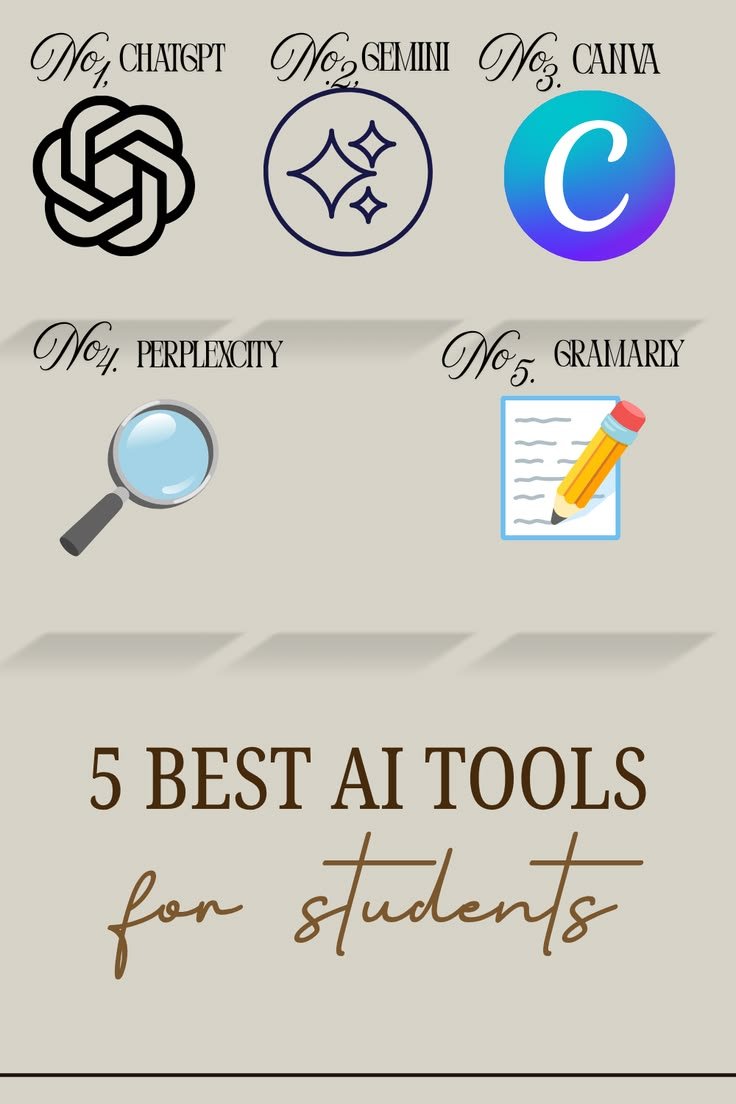
The best AI tools for students in 2026 offer practical ways to improve learning, research, writing, organization, and exam preparation. ChatGPT and Google Gemini provide general learning assistance, Grammarly improves writing, Wolfram Alpha supports mathematics, and Quizlet helps with memorization. Perplexity and Elicit support research discovery, while Canva and Notion help students organize information and create educational materials.
Other tools, including Khan Academy, Microsoft Copilot, DeepL, Otter.ai, and GitHub Copilot, offer specialized assistance for structured learning, productivity, translation, transcription, and programming.
The ideal combination depends on your educational level, subjects, learning goals, and budget. Start with one or two tools that address your biggest challenges and evaluate whether they genuinely improve your study routine.
Most importantly, use AI to ask better questions, understand difficult concepts, practise essential skills, and explore new ideas. Combine its capabilities with independent thinking, reliable sources, and consistent effort to build stronger academic foundations.